





The worst part about writing a research paper is usually not the writing itself. It is the moment when you suddenly realize half your sources are buried in random folders, one PDF has no author name, and that perfect quote you found three days ago has completely disappeared. Most people do not think about source management until the paper becomes messy.
I learned this the hard way during a long literature review project. I had tabs open everywhere, screenshots on my desktop, handwritten notes in notebooks, and downloaded PDFs named things like “finalfinal2.pdf.” By the time I started writing, the research process felt heavier than the actual paper. Once I built a proper system, though, everything moved faster. Drafting became easier, citations stopped being stressful, and finding information took seconds instead of hours.
Start Organizing Before You Start Writing

One of the biggest mistakes students make is waiting until the drafting phase to organize research materials. At that point, the volume of information already feels overwhelming. Good research paper topic workflow habits should begin during the first stage of collecting sources.
Build One Central Research Folder
Create one master folder for the entire project. Inside it, create smaller folders based on themes, chapters, arguments, or research questions. This keeps your research paper’s organization clean from the start.
A simple structure often works best:
- Main Research Folder
- Articles and Journals
- Notes
- Quotes
- Drafts
- Citations
Avoid creating too many layers. If your folders become difficult to navigate, the system starts working against you.
Use Clear File Naming Rules
Random file names create confusion later. A standardized naming system saves a surprising amount of time during academic writing.
A format like this works well:
Author_Year_ShortTitle
For example:
Smith_2024_SocialMediaEffects
This makes research files searchable immediately without opening every document.
Use Citation Management Tools Early
Many researchers try to manage everything manually at first. That usually works for five sources, not fifty.
Tools like Zotero, Mendeley, and EndNote help organize academic sources without turning the process into chaos.
Save Sources Directly From Your Browser
Most citation management tools offer browser extensions. When reading articles through Google Scholar or academic databases, you can save sources instantly instead of manually typing details later.
This reduces:
- Missing citation data
- Broken references
- Duplicate files
- Lost research papers
It also keeps your bibliography management cleaner throughout the entire project.
Generate Citations Automatically
Formatting citations manually drains time, especially when switching between APA, MLA, or Chicago style. Citation management tools can generate references automatically while writing.
That does not mean you should trust them blindly. Always double-check formatting. Still, they remove a huge amount of repetitive work.
Sync Your Research Across Devices
One underrated advantage of research organization tools is cloud syncing. If you move between a laptop, library computer, or tablet, your entire research database stays updated.
Losing files because they were saved on only one device is more common than most people admit.
Create A Research Matrix To Track Everything
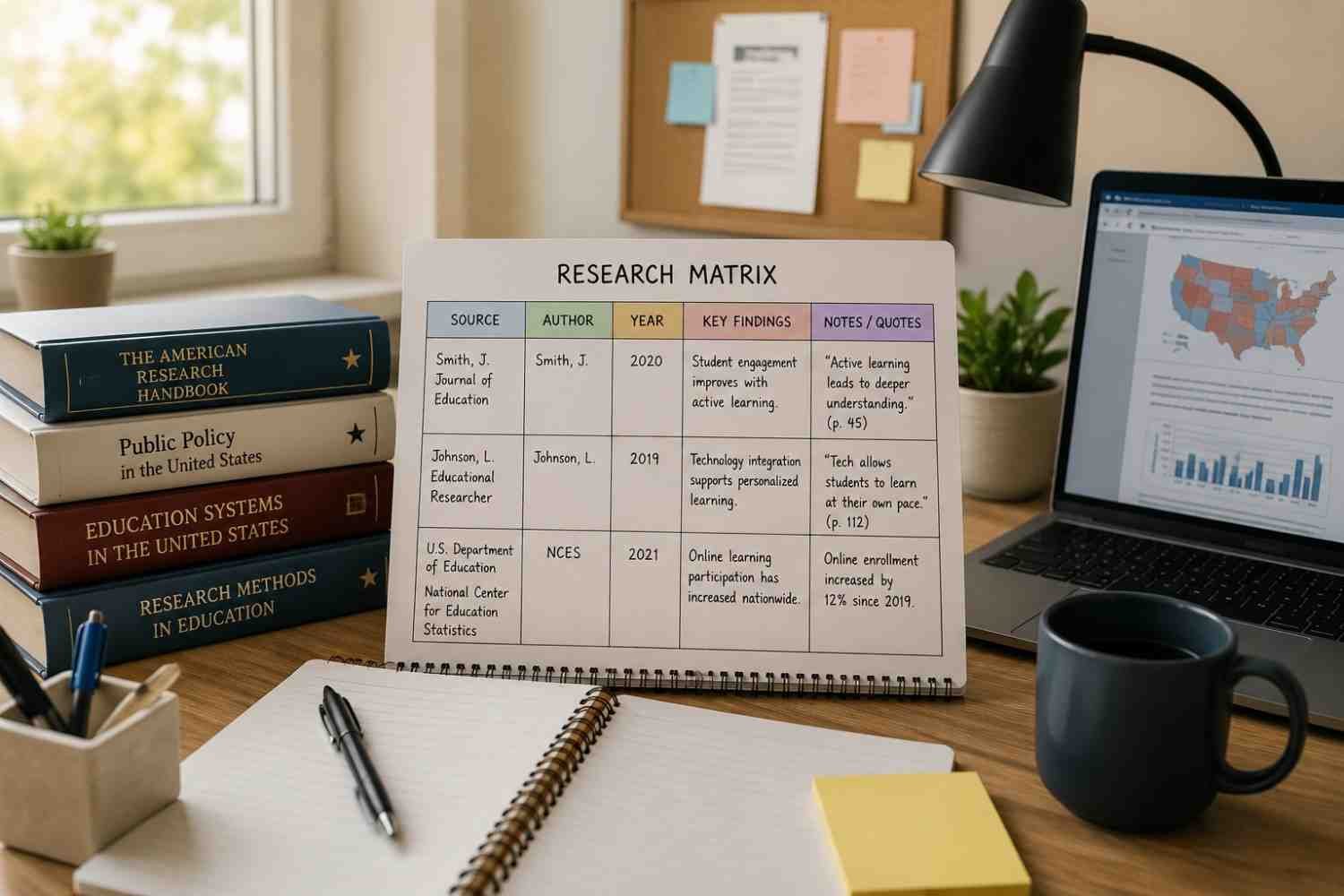
Once your source count grows, memory stops being reliable. This is where a research matrix becomes useful.
Use A Spreadsheet For Source Management
A simple Excel or Google Sheets tracker can organize research references far better than scattered notes.
Include columns like:
- Author
- Publication year
- Main argument
- Key findings
- Important quotes
- Page numbers
- Related section of your outline
This gives you a quick visual overview of your literature review instead of forcing you to reopen dozens of PDFs.
Match Sources To Your Main Arguments
One thing that saved me enormous time was connecting each source directly to parts of my paper outline. Instead of rereading everything while drafting, I already knew which study supported which argument.
This approach also exposes weak sections early. If one argument only has one supporting source while another has fifteen, you can fix the imbalance before writing begins.
Use Color Coding Without Overcomplicating It
Color coding sounds simple, but it genuinely speeds up source management for research projects.
Assign Colors To Research Themes
Choose one color for each major argument or category. When reading PDFs or organizing notes, use those same colors consistently.
For example:
- Blue for methodology
- Yellow for statistics
- Green for counterarguments
- Red for major findings
Over time, visual sorting becomes much faster than reading labels repeatedly.
Track Reading Progress Visually
Colors also help track research status:
- Gray for unread
- Orange for partially reviewed
- Green for fully used in writing
This prevents duplicate reading sessions and helps you understand how far along your research workflow actually is.
Take Notes That Help During Writing
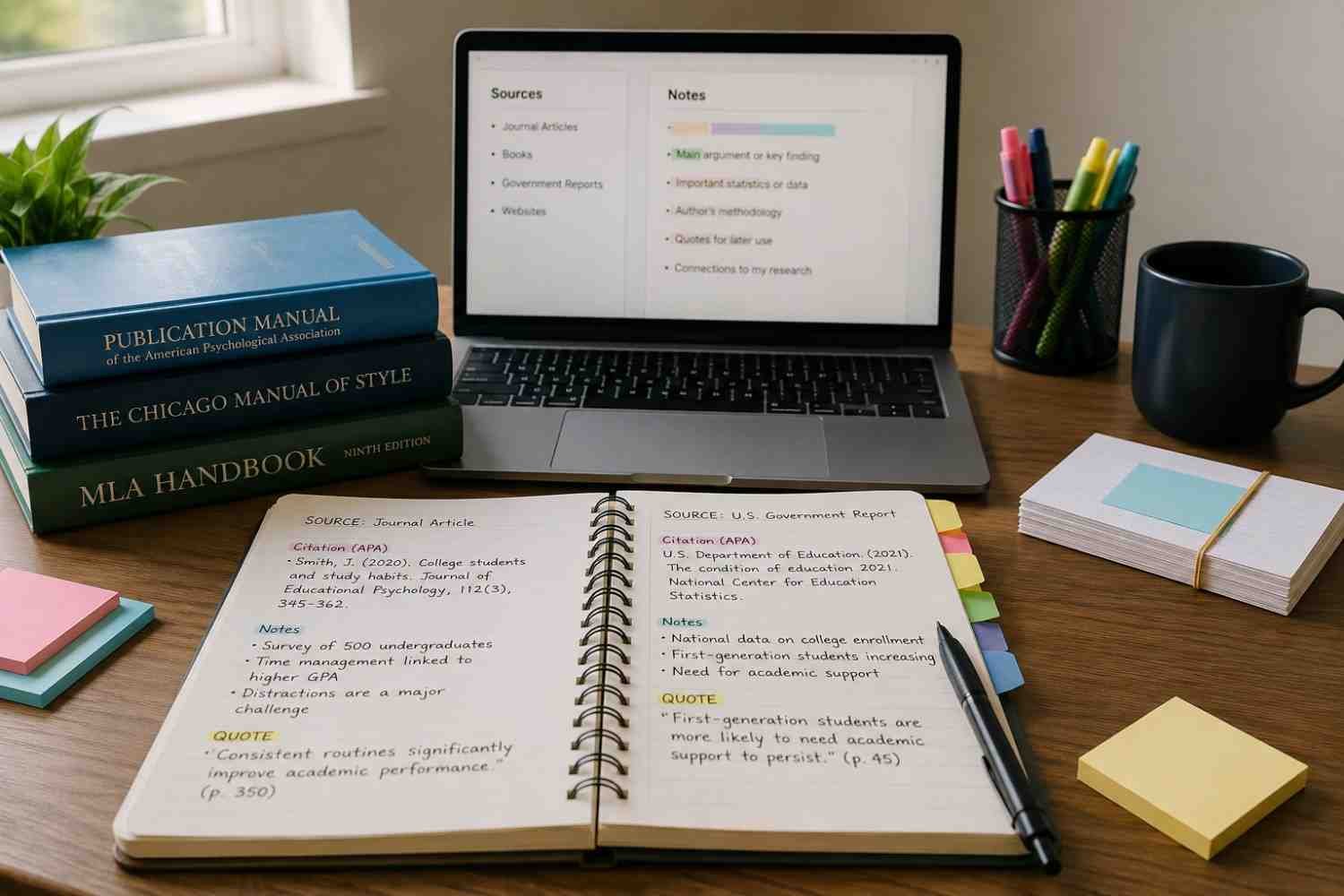
A lot of research notes fail because they only copy information without context. Weeks later, the quote makes no sense because you forgot why it mattered.
Write Your Thoughts Immediately
When reading a source, write your interpretation immediately after taking notes. Add reactions, questions, or possible arguments while the material is fresh.
This creates a stronger connection between research and writing.
For example, instead of only copying a statistic, add:
“Useful for discussion about student productivity trends.”
That tiny note saves mental effort later.
Separate Quotes From Personal Analysis
Mixing direct quotes with personal thoughts creates citation mistakes. Keep them visually separate in your notes.
Some people use:
- Different text colors
- Highlight styles
- Tags
- Separate sections
Whatever system you choose, consistency matters more than complexity.
Use Tags For Faster Searching
Tags make research note organization easier when projects become large. Keywords like:
- #methodology
- #caseStudy
- #counterargument
- #statistics
allow you to filter information quickly without rereading everything.
Avoid The “I’ll Remember It Later” Trap
Most research problems come from delayed organization. People assume they will remember where a quote came from or which article explained a concept best. That confidence disappears once the source count grows.
The researchers who move faster are usually not smarter writers. They simply reduce friction inside their system. Their files are labeled correctly. Their notes are searchable. Their citations are already tracked. That organization removes hours of unnecessary stress during drafting.
A clean source management process also improves the quality of the paper itself. When information is easy to access, arguments become stronger because you spend more time thinking critically and less time searching through folders.
FAQ’s: How To Organize Sources For A Research Paper And Save Hours Later
1. What Is The Best Way To Organize Research Sources?
The best method combines citation management software, organized folders, spreadsheets, and searchable notes. Simplicity and consistency matter more than using complicated systems.
2. Should I Use Zotero Or Mendeley For Research Papers?
Both are popular academic research tools. Zotero is often preferred for simplicity and browser integration, while Mendeley is useful for PDF annotations and collaboration features.
3. How Early Should I Organize Sources For A Research Paper?
Start organizing sources as soon as research begins. Waiting until drafting usually creates confusion, missing citations, and duplicated work.
4. Why Is Source Organization Important In Academic Writing?
Good source organization saves time, improves citation accuracy, reduces stress, and makes the academic writing process much more efficient.
Final Thoughts
Research papers become difficult much earlier than most people expect. The stress usually starts when information becomes disorganized, not when the writing begins. A reliable system for organizing citations, notes, PDFs, and research files removes that pressure before it builds up. Even small habits like proper file naming, tagging notes, or tracking quotes inside a spreadsheet can completely change how manageable a project feels.
The goal is not to build a perfect system. The goal is to create one that helps you find information quickly and keeps your thinking organized while writing.